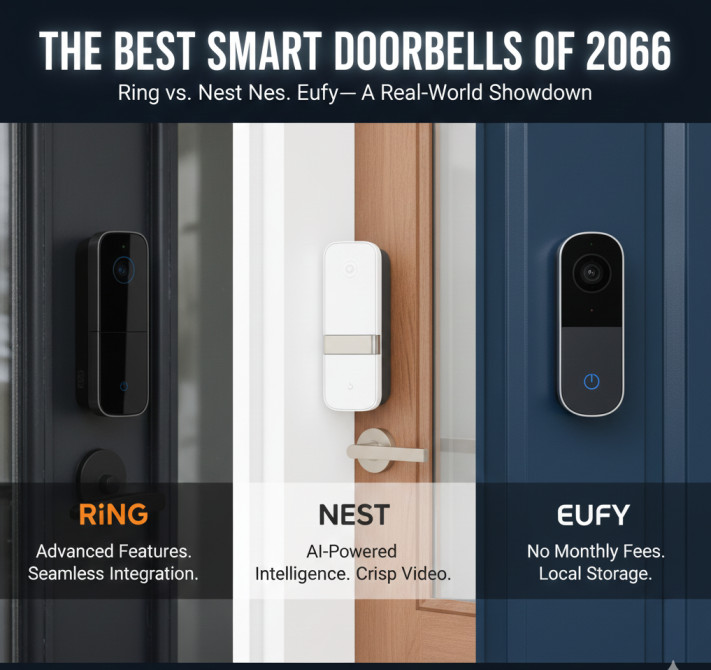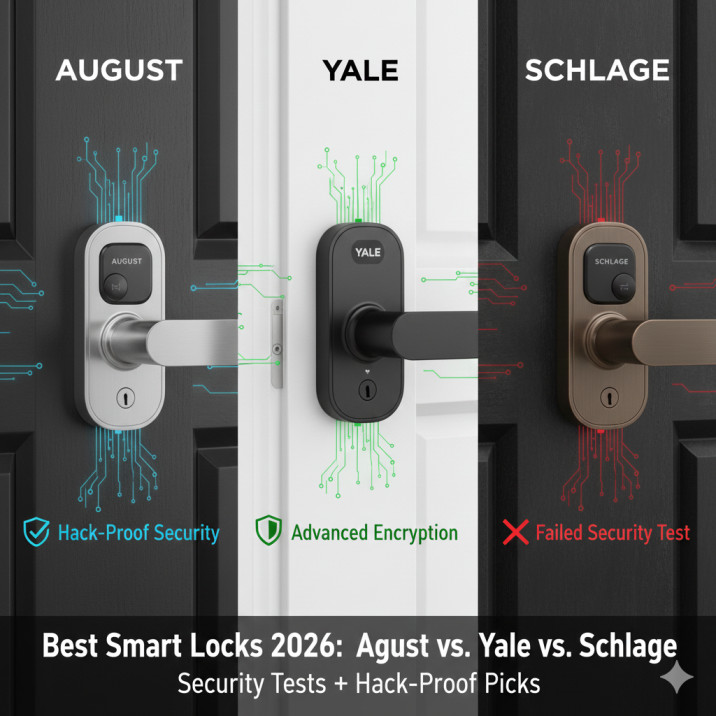
The average connected home in 2026 contains somewhere between fifteen and thirty internet-enabled devices (IoT). The ring doorbell, the smart TV, the baby monitor, the connected thermostat, the wifi router, the AI assistant cylinder sitting on the kitchen counter, the smart fridge that sends you expiry notifications (IoT Gadgets). Each one was purchased individually, installed individually, and assigned to a network that was almost certainly not designed to handle the security implications of everything now living on it. The result is not a smart home. It’s a patchwork of small, persistent vulnerabilities — and somewhere in the background, automated systems are probing every single one of them right now.
Between January and October 2025, Bitdefender technologies detected 13.6 billion attacks and blocked 4.6 billion attempts to exploit vulnerabilities in consumer IoT devices — with connected homes facing almost 30 attempted attacks per day each, confirming that automated, always-on attacks have become the norm. Thirty attacks per day, every day, against the network that contains your children’s school schedules, your financial app credentials, your home address mapped to a smart doorbell with a camera feed. That number is not alarming in the way that dramatic cybercrime headlines are alarming. It’s alarming in the way a structural problem is alarming — quietly, continuously, and with consequences that tend to arrive without warning after a long period of silent vulnerability.
Understanding why smart home devices are so easy to compromise — and what four specific interventions actually change the risk profile — requires understanding the attack mechanisms first.
Why Smart Home Devices Are Such Easy Targets
The fundamental problem with consumer IoT security is not technical sophistication. It’s economic incentive. Device manufacturers compete primarily on features, price, and compatibility. Security is expensive to implement, difficult to market, and invisible to consumers at the point of purchase. As of 2025, an estimated 20% of IoT devices are still protected only by default login credentials that any attacker can find with a simple web search — and 80% of IoT devices remain vulnerable to a wide range of attacks. The default credentials problem isn’t new. It has existed since the first networked devices shipped with usernames like “admin” and passwords like “password” or “1234.” In 2026, it remains one of the most exploited attack vectors in consumer IoT, not because defenders haven’t identified it but because the scale of deployed devices means millions of units with default credentials will always be discoverable for attackers who know where to look — and in 2026, AI knows exactly where to look.
The firmware problem compounds the credential problem. 33% of IoT devices globally run outdated firmware containing known, exploitable security flaws — and in 2025, a critical vulnerability in popular smart doorbell firmware allowed attackers to unlock doors remotely, with the manufacturer releasing a patch but 67% of affected devices remaining unpatched six months later because users didn’t know updates were available. A device that received a security patch six months ago and wasn’t updated is, for the purposes of any attacker running automated scans, identical to a device that was never patched. The vulnerability exists. The fix exists. The gap between them is consumer awareness and the friction of the update process.
The router is the device that ties the entire architecture together — and it’s the most dangerous entry point in most homes. Routers now account for more than 50% of devices carrying the most dangerous vulnerabilities, overtaking endpoints as the riskiest device category, with average device risk rising 15% year over year according to Forescout Vedere Labs. When your router is compromised, the attacker doesn’t just control the router. They see every device connected to your network, every DNS query made from it, and in many cases every packet of unencrypted traffic flowing through it. A compromised router makes every other device on your network more vulnerable, regardless of how securely those devices were individually configured.
What Attackers Actually Do With Your Smart Home Devices
Most consumer IoT attacks are not targeted at you specifically. They are automated, opportunistic, and scalable. Every 105 seconds, threat actors launch roughly 1,000 automated attacks against internet-connected devices — and in 2025, that cadence averaged 820,000 malicious IoT hacking attempts per day, a 46% jump from the year before, with early 2026 data showing no deceleration. These attacks are not hackers manually probing your network. They are scripts and bots scanning the internet for devices with known vulnerabilities, default credentials, or open ports — and recruiting whatever they find into botnets that are then weaponised for other purposes entirely.
The botnet use case is the one that makes the scale of the problem legible. The Aisuru IoT botnet launched a record DDoS attack of 29.7 Tbps in Q3 2025, with an estimated one to four million infected hosts — and Microsoft Azure blocked what it described as one of the largest DDoS attacks ever recorded at 15.72 Tbps, sourced from over 500,000 IP addresses across the globe, attributed to the same botnet recruiting compromised home routers, surveillance cameras, and DVRs. Your smart camera or old router isn’t being attacked because the attacker wants your camera feed. It’s being recruited as a soldier in an army being built for an attack on something else entirely. Your device is collateral damage — and your internet connection, your electricity, and potentially your network credentials go along for the ride.
The AI dimension of this threat is now significant enough to warrant separate treatment. In December 2025, hackers compromised 4.2 million smart TVs and launched a coordinated attack against a major cloud provider using AI-enhanced malware that adapted faster than defenders could respond — and AI voice cloning has moved from laboratory demonstration to operational attack vector, with a May 2025 incident where criminals cloned a CEO’s voice to authorise a $4.2 million wire transfer that was never recovered. The voice cloning attack is the one that should recalibrate how you think about smart home voice assistants — because if three seconds of someone’s voice is sufficient to produce a convincing clone, then every device that authenticates via voice in your home is only as secure as your voice assistant’s ability to distinguish the real thing from a highly accurate copy. That ability, right now, is limited.
For homeowners who have invested in connected security cameras, smart doorbells, and AI-enabled access systems, the surveillance dimension of a compromised smart home is particularly acute. Hackers have created entire websites showcasing thousands of unsecured camera feeds from homes, baby nurseries, and bedrooms — with victims having no idea they were being watched. The camera you installed for security is broadcasting a live feed to an audience you never invited. This is not a hypothetical future risk. It is a documented, ongoing phenomenon that affects real households.
The insurance implications connect directly to what we examined in our piece on whether homeowners insurance covers identity theft and smart home breaches — because when a compromised smart device is the vector for an identity theft attack, the coverage gaps that standard homeowners policies contain become immediately relevant. And as explored in our analysis of what cyber insurance for remote workers actually covers in 2026, the personal device security posture of your home network increasingly intersects with your professional cyber coverage obligations in ways most people don’t recognise until after an incident.
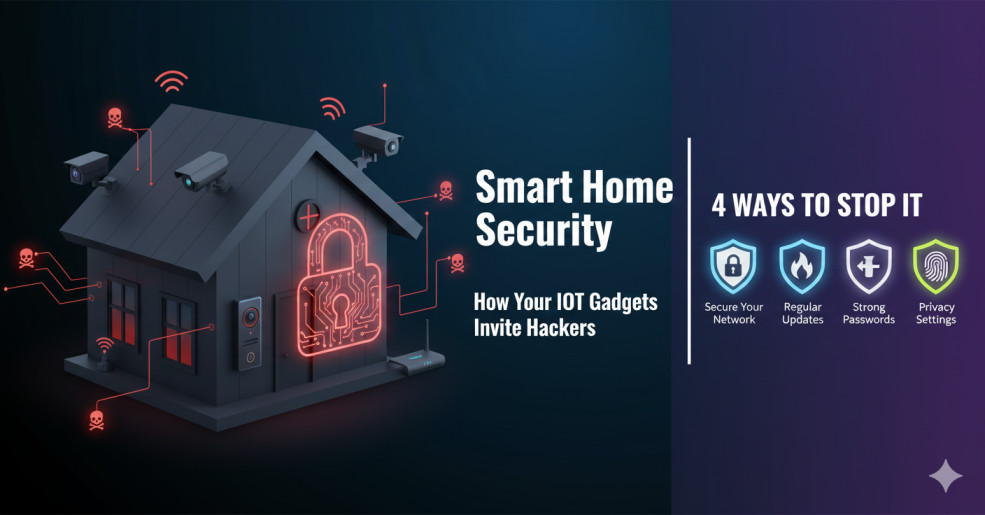
4 Ways to Actually Stop It
The threat is real, it’s automated, it’s AI-powered, and it’s operating continuously. The protective interventions available to ordinary homeowners are not complicated. They are, in the vast majority of cases, not implemented — which is why the attacks keep working.
Way One: Eliminate Default Credentials Immediately on Every New Device.
The default username-password combination that shipped with your router, your IP camera, your smart speaker hub, and every other networked device is published on the internet. Attackers use automated tools that scan for devices running specific firmware versions and try the published default credentials before trying anything else. This is the single most common and most avoidable attack vector in consumer IoT, and it remains exploited at scale specifically because device setup guides don’t emphasise it clearly. Every new device should have its default credentials changed before it goes online. The new password should be unique to that device — not the same password you use for other services — and should be stored in a password manager rather than written on a sticky note. This step eliminates the majority of opportunistic attacks immediately.
Way Two: Separate Your IoT Devices Onto Their Own Network Segment.
Your smart TV, connected thermostat, and doorbell camera do not need to be on the same network segment as your laptop, your work computer, and your phone. Most modern routers — and all mesh network systems — allow you to create a separate guest or IoT network that is isolated from your primary network. A device that is compromised on the IoT network cannot then pivot to attack your laptop or phone because the network segment prevents lateral movement. This is called network segmentation, and it is the single most effective architectural defence available to consumer smart home users without requiring any specialist technical knowledge — just the ability to navigate your router’s admin interface. Set up two networks: one for devices you use for sensitive tasks, one for everything that has no business being on the same network as your banking credentials.
Way Three: Enable Automatic Firmware Updates on Every Device That Supports It.
The patched-but-never-updated problem is structural: most consumers don’t know when a firmware update is available, don’t know how to apply it, and don’t do it even when prompted. The TOTOLINK EX200 vulnerability disclosed in January 2026 allowed an attacker to gain full device control with no fix available from the manufacturer — a situation that affects any device whose manufacturer has ceased support, leaving known vulnerabilities permanently exposed. The practical implication is twofold: enable automatic updates on every device that supports it, and replace devices whose manufacturers no longer issue security updates. A smart camera running two-year-old firmware with a known vulnerability is not a security camera. It is a network entry point. The age of a device and the status of its manufacturer’s security support are the two most important security considerations when evaluating your existing smart home inventory.
Way Four: Buy Certified Devices and Retire Uncertified Legacy Hardware.
The regulatory environment for consumer IoT security has changed significantly in 2026, and certification now provides a meaningful signal for purchasing decisions. The US Cyber Trust Mark — the voluntary FCC consumer labelling programme that launched in January 2025 — provides a visual indicator that a device meets specific cybersecurity standards, with January 4, 2027 as the deadline for vendors supplying consumer IoT products to the US federal government to carry the label. The EU Cyber Resilience Act is similarly establishing mandatory baseline security requirements for connected products sold in European markets. Buying devices that carry these certifications doesn’t guarantee perfect security, but it does mean the manufacturer has committed to specific security standards including vulnerability patching, default credential elimination, and encryption — the baseline requirements that most unregulated devices still don’t meet.
For the broader context of how connected home data flows into insurance, financial services, and surveillance ecosystems well beyond the device itself — including how the data generated by smart home devices can eventually feed insurance underwriting models — our analysis of the data rights economy and who controls the information your devices generate maps what happens downstream of the security question. And if you’re exploring smart kitchen AI specifically, our piece on smart ovens and the AI revolution in home cooking examines the data collection architecture of that specific device category in detail. The security and the privacy dimensions of smart home technology are the same conversation from two different starting points — our broader piece on telematics, surveillance, and what connected devices are really tracking provides the systemic framework that connects them.
Frequently Asked Questions
According to Bitdefender’s 2025 IoT Security Landscape Report, which analysed data from January to October 2025, connected homes faced almost 30 attempted attacks per day each. At the network level, threat actors launch roughly 1,000 automated attacks against internet-connected devices every 105 seconds — averaging 820,000 malicious IoT hacking attempts per day across the internet in 2025, a 46% jump from the year before. These are not targeted attacks from individual hackers. They are automated scripts and botnets continuously scanning the internet for devices with known vulnerabilities, default credentials, or open ports, and attempting to exploit whatever they find. Early 2026 data from Dexpose and Forescout shows no deceleration in attack frequency.
Routers are now the single most dangerous device in most smart homes, accounting for more than 50% of devices carrying the most dangerous known vulnerabilities according to Forescout Vedere Labs — overtaking endpoints as the riskiest device category in 2026. After routers, streaming devices, smart TVs, and IP cameras account for more than half of all known vulnerabilities in consumer IoT environments according to Bitdefender’s 2025 landscape report, turning entertainment and surveillance equipment into preferred attack avenues. Smart doorbells and other access-control devices are also high-risk, with a 2025 firmware vulnerability allowing remote door unlock in popular models. Any device running outdated firmware, using default credentials, or purchased from a manufacturer that no longer issues security updates should be treated as a priority risk regardless of device category.
Yes — and both have been documented in real incidents. In 2025, a critical vulnerability in popular smart doorbell firmware allowed attackers to unlock doors remotely before a patch was issued, with 67% of affected devices remaining unpatched six months after the fix became available. For security cameras, hackers have published entire websites displaying live feeds from thousands of unsecured home cameras — including baby nurseries and bedrooms — with victims unaware they were being watched. The attack vector is typically default credentials that were never changed from factory settings, or outdated firmware containing a known, exploitable vulnerability. AI voice cloning has also emerged as a threat for voice-authenticated access systems, where three seconds of voice audio is sufficient to generate a convincing clone that can fool smart speaker authentication.
The US Cyber Trust Mark is a voluntary FCC consumer labelling programme that launched in January 2025, providing a visual indicator on product packaging and listings that a smart device meets specific minimum cybersecurity standards. Devices carrying the mark have committed to standards including unique default password requirements, firmware update mechanisms, data encryption, and a published support timeframe. January 4, 2027 is the deadline for vendors supplying consumer IoT products to the US federal government to carry the label. For consumers, looking for the Cyber Trust Mark provides a meaningful baseline security signal that most unregulated devices don’t offer — it doesn’t guarantee perfect security, but it does mean the manufacturer has accepted minimum security obligations rather than leaving the device entirely unregulated. The EU Cyber Resilience Act is establishing equivalent mandatory baseline requirements for connected products sold in European markets.
Standard homeowners insurance does not cover financial losses from smart home device breaches, identity theft resulting from a compromised IoT device, or costs associated with botnet recruitment of your devices. A homeowners identity theft endorsement — typically $25–$60 per year — covers recovery costs like legal fees, lost wages, and credit monitoring if a breach leads to identity fraud, but does not cover stolen funds. For remote workers whose home network connects to employer systems, personal cyber coverage gaps and employer-provided cyber insurance interact in complex ways that most policies haven’t clearly resolved. The clearest cyber coverage for smart home-originated breaches comes from dedicated cyber insurance policies or endorsements, which are increasingly including language about smart home and IoT device incidents. If you have AI-enabled devices that make autonomous security decisions — like automated door locks or AI security cameras — the liability question of who is responsible when those systems fail also intersects with AI liability insurance in ways that remain legally unresolved in most jurisdictions.
The Bottom Line
21.1 billion active IoT devices were connected worldwide by the end of 2025, up 14% year over year, with the installed base forecast to reach 39 billion by 2030. The attack surface that comes with that growth is not a problem that device manufacturers are going to solve on their own, and regulatory frameworks — however welcome — take years to change the security posture of the hundreds of millions of devices already deployed in existing homes. The four interventions described in this article — changing default credentials, segmenting your IoT network, enabling automatic updates, and buying certified hardware going forward — address the attack mechanisms responsible for the vast majority of consumer smart home incidents. They don’t require specialist knowledge. They don’t require expensive services. They require about an afternoon of focused attention and the willingness to log into your router’s admin panel.
The homes that get compromised in 2026 are, overwhelmingly, not the ones where the owner deliberately made risky decisions. They’re the ones where nobody made any deliberate decision at all — where devices accumulated over years on a network that was never designed for them, with default credentials that were never changed and firmware that was never updated. The gap between that home and a meaningfully more secure one is four decisions. Make them before the automated scripts do it for you.