The year is 2026. The devices in our pockets are smarter, faster, and more integrated into our lives than ever before. Yet, one fundamental truth remains: your greatest enemy is still the notification.
The battle for your attention—the core of the modern Attention Economy—is not winding down; it’s escalating. Algorithms, now turbocharged by large language models (LLMs), are better than ever at predicting when and how to ping you to maximize engagement. They know your breaking points, your curiosity gaps, and your psychological vulnerabilities.
As the digital noise level rises, the need for surgical precision in managing interruptions becomes critical for our digital sanity. The old “Silent Mode” switch is obsolete. We need tools that enforce deep focus while maintaining a crucial lifeline for genuine, real-world emergencies.
This is the promise of the next generation of phone silencing and focus apps. They are not just blockers; they are Intelligent Gatekeepers designed to defend your concentration without sacrificing your safety.
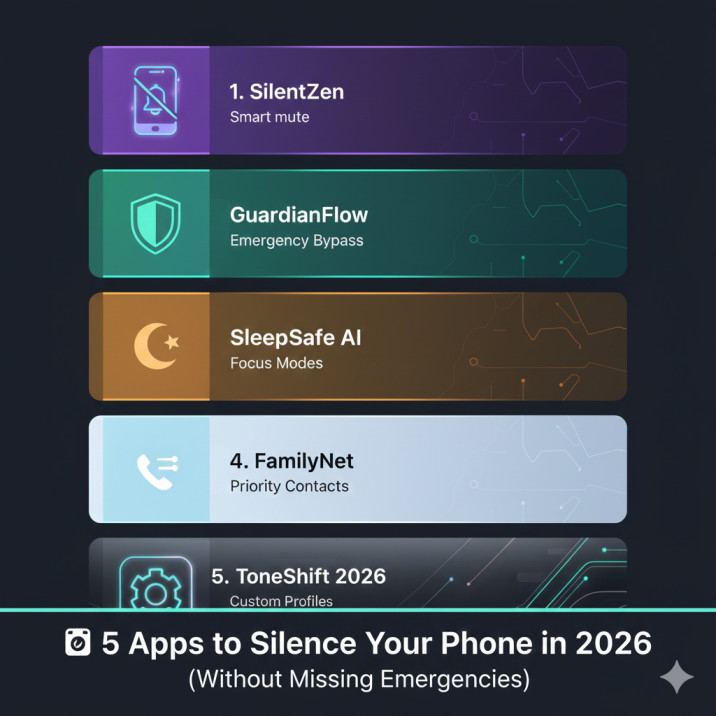
Here are the 5 essential Apps to Silence Your Phone in 2026, all offering smart solutions to silence the noise while guaranteeing an emergency bypass.
1. The Native Powerhouse: iOS Focus / Android Modes & Routines
The Default That Became Dynamic
By 2026, the native operating system (OS) tools have evolved from simple “Do Not Disturb” toggles into highly personalized, AI-powered focus environments. For most users, these integrated tools offer the best combination of security, stability, and emergency bypass features.
Core 2026 Features & The Emergency Lifeline:
- Focus Stacks (iOS): Users create custom, context-aware profiles (e.g., “Work,” “Sleep,” “Gym”). Each profile defines which apps are visible on the Home Screen, which contacts can break through the silence, and which apps are blocked.
- Modes & Routines (Android): Android’s system is now deeply integrated with AI triggers. Routines activate not just by time, but by location, connection to specific Wi-Fi networks, or even accelerometer data.
- Emergency Bypass for Contacts: Both platforms offer the essential feature to allow calls and texts from designated Emergency Contacts to ring/vibrate even when the phone is fully silenced.
- Repeat Caller Exception: A vital security feature. If any number calls you twice within a three-minute window, the phone will ring the second time, assuming a potential emergency.
| Pro | Con |
| Deepest level of system integration (stability and security). | Configuration can be complex and time-consuming to set up initially. |
| Automatic sharing of status (letting contacts know you’re busy). | Less visual reward or gamification compared to third-party apps. |
2. The Cross-Device Enforcer: Freedom
The Nuclear Option for System-Wide Focus
Freedom has long been the gold standard for blocking distractions, and its continued relevance in 2026 is due to its unparalleled ability to block websites and apps simultaneously across all your devices—Mac, Windows, iOS, and Android.
Core 2026 Features & The Emergency Lifeline:
- Simultaneous Multi-Platform Blocking: This is Freedom’s unique selling proposition. It defeats the common “distraction migration” habit (closing the app on your phone only to open the website on your laptop).
- “Locked Mode”: For those who need absolute commitment, Freedom’s sessions cannot be prematurely ended. This “nuclear option” removes the user’s ability to bail out of a focus session, reinforcing commitment.
- Custom Whitelists/Blacklists: Users maintain hyper-specific lists for sites and apps.
- The Emergency Lifeline: Freedom blocks the app layer (Social Media, Games, etc.). It relies on the native OS DND settings to manage critical notifications. By blocking all secondary distractions, it ensures that urgent calls/texts from your pre-approved contacts (whose bypass is managed by iOS/Android) reign supreme as the only possible interruptions.
| Pro | Con |
| Unmatched cross-device synchronization for true focus. | Subscription-based model (paid service). |
| Sessions are irreversible, reinforcing commitment and willpower. | Requires you to download and manage the app on every device you own. |
3. The Gamified Gardener: Forest (or Flora)
Turning Focus into a Digital Investment
The gamification of productivity accelerated rapidly through 2025, and Forest remains the most popular example. It uses the Pomodoro Technique and harnesses the power of digital commitment to silence distractions.
Core 2026 Features & The Emergency Lifeline:
- Grow a Tree, Stay Focused: When you begin a focus session, you plant a virtual seed. If you leave the Forest app to use any other app (a distraction), your virtual tree dies. This psychological trigger—the fear of losing the time investment—is a highly effective anti-procrastination mechanism.
- Real-Life Planting: Completing sessions rewards you with virtual coins, which can be spent to plant real trees in partnership with organizations like Trees for the Future.
- The Emergency Lifeline: Forest works as a front-end blocker; it does not control phone calls or text messages. When starting a session, you are expected to manually set your phone to Silent/DND. Crucially, this allows the native emergency bypass features of the OS (repeat calls and starred contacts) to break through the silence, protecting your focus while guaranteeing life-safety functions.
| Pro | Con |
| Highly effective behavioral economics (loss aversion) for focus. | The primary deterrent (the dying tree) is virtual, which may not motivate everyone. |
| Supports the Pomodoro Technique and rewards consistency. | Requires a manual step to ensure phone calls are silenced via the OS. |
4. The Data-Driven Analyst: RescueTime
From Silencing to Systemic Change
RescueTime approaches the problem of distraction from the root: awareness and analytics. Its goal is not just to silence your phone now, but to give you the data necessary to structurally change your digital habits in 2026 and beyond.
Core 2026 Features & The Emergency Lifeline:
- Automatic Time Tracking & Classification: RescueTime silently logs every second you spend on every app and website, classifying activities as “Very Productive,” “Neutral,” or “Very Distracting.” This provides an undeniable view of your focus habits.
- FocusTime: Based on your analytics, RescueTime’s active blocker is its FocusTime feature, which blocks the sites and apps that the data has proven are your biggest time sinks.
- Goal Setting & Progress Reports: Users set productivity goals (e.g., “I will spend $\mathbf{60\%}$ of my time in Productive apps”), with the app tracking and gamifying progress toward behavioral change.
- The Emergency Lifeline: RescueTime is a software blocker for apps and websites. Like Forest, it relies on the superior, hardware-level filtering provided by your phone’s native DND settings for urgent calls and texts, ensuring that its powerful web blocking does not interfere with the life-safety function of the device.
| Pro | Con |
| Provides deep, objective analytics for long-term habit change. | Requires users to passively track all their activity, which raises privacy concerns for some. |
| FocusTime blocks based on your proven distraction history, not generic lists. | Full cross-platform tracking and advanced features often require a paid subscription. |
5. The Minimalist Transformer: Minimalist Phone
The Cure for the Visually Addictive Interface
For many, the problem is the sheer visual stimulus of the modern smartphone—the bright colors, the appealing icons, and the infinite customization options that beg for interaction. The Minimalist Phone app solves this by completely redesigning your home screen.
Core 2026 Features & The Emergency Lifeline:
- Greyscale/Monochrome Interface: The core function replaces the colorful, dopamine-driving app icons with simple, black-and-white text lists. This drastically reduces the visual appeal of the phone, making it a tool, not a toy.
- Forced Friction: It implements small, intentional delays (e.g., a 5-second countdown to open a distracting app). This added friction provides a crucial micro-moment for the user to ask, “Do I really need to open this right now?”
- Notification Filtering: Intrusive banner pings are replaced with a quiet, centralized, text-only list, reducing the constant urgency associated with the red badge.
- The Emergency Lifeline: As a replacement interface (launcher), it sits on top of the OS and does not interfere with the phone’s fundamental functions. All core phone calls, texts, and alarms bypass its interface. Furthermore, the simplicity of the home screen ensures that finding the phone app or emergency contact widget is always instantaneous.
| Pro | Con |
| Tackles the root cause of addiction: the visual design of the OS. | Requires significant commitment to overhaul the phone’s appearance. |
| Reinforces mindfulness with forced delay mechanisms (friction). | Better integrated on Android; iOS users must rely on home screen widgets and the native Greyscale accessibility setting. |
Integrating the Best Apps to Silence Your Phone in 2026
The fight against the Attention Economy is a marathon, not a sprint. Relying on a single tool is no longer enough; the best strategy for 2026 is a layered approach combining the strengths of these platforms:
- The Foundation (OS): First, set up iOS Focus or Android Modes to handle the absolute basics: the Emergency Bypass for your immediate family and the Repeat Caller rule. This is your essential safety net.
- The Filter (Minimalism/Data): Use Minimalist Phone to remove the daily visual temptation or RescueTime to analyze when and where you are most distracted.
- The Enforcer (Commitment): Use Freedom or Forest for dedicated, hard-focus sessions (e.g., a 90-minute Deep Work block).
By employing these sophisticated digital gatekeepers, you transition your phone from an omni-present distraction machine into a highly specialized tool that serves your goals. The ultimate silence is not just the absence of noise, but the presence of unbroken focus—your true cognitive anchor in 2026.
Ready to reclaim your time? Start with your native OS settings today, then choose one of these Apps to Silence Your Phone in 2026 to build a strategic defense against the noise.