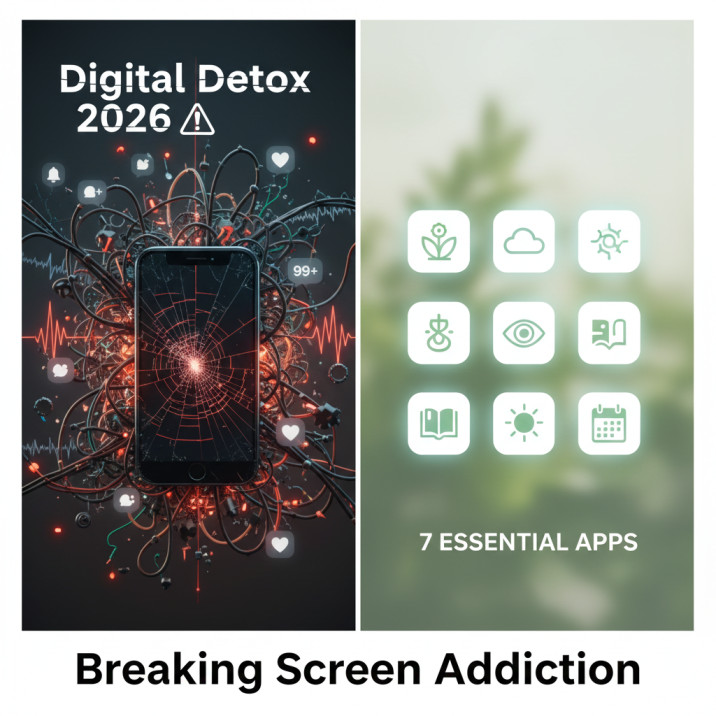
Before we get to the apps, let’s be honest about something that most digital detox content isn’t: you are not addicted to your phone. You are addicted to what your phone delivers — the dopamine cycle of variable rewards, the social comparison of feeds, the low-grade anxiety management of endless scroll that has been specifically engineered by teams of behavioural scientists to keep you coming back every few minutes. The phone is the delivery mechanism. The addiction architecture is what you’re actually dealing with. This distinction matters because it shapes which solutions work, and why willpower alone — the advice most people receive — is such a poor match for a problem built by people who study what defeats willpower for a living. Digital detox 2026.
According to Reviews.org’s 2026 Cell Phone Usage report, Americans now check their phones an average of 186 times per day — roughly once every five minutes while awake — and nearly half consider themselves phone-addicted. Not people who occasionally spend too much time on their phone. People who have reached the point of self-identified addiction. That’s a scale of problem that individual willpower cannot address, and the ecosystem of digital detox apps has matured considerably in 2026 to meet it — moving from simple timers and blockers into genuinely sophisticated behaviour-change tools that work with the brain’s learning mechanisms rather than against them.
The seven apps below are not ranked by which has the most features or the best reviews. They’re organised by mechanism — because different people need different types of intervention depending on whether the issue is impulse control, habit formation, awareness, accountability, or compulsive access patterns. Understanding which category describes your relationship with your phone is the prerequisite for choosing an app that will actually help.
1. One Sec — The Friction Approach
The most elegant concept in the digital detox app space is also one of the simplest. One Sec doesn’t block you from accessing distracting apps permanently. It forces you to pause before opening them — to take a deep breath, literally, while the app counts down three to five seconds before allowing access. That’s it. Three to five seconds of manufactured friction between the automatic impulse and the habitual action.
One Sec forces a short pause before opening addictive apps, and this tiny delay helps break impulsive habits — ideal for building awareness and changing the automatic behaviour patterns that drive most unconscious phone checking. The mechanism works because most phone checking is not conscious. You open Instagram the way you might scratch an itch — automatically, without deciding to. The three-second pause interrupts that automaticity and re-inserts the conscious decision that the habit had eliminated. A significant proportion of users, when forced to pause, discover they didn’t actually want to open the app in the first place. They were just running a habit loop.
One Sec is available for iOS and Android, integrates with Apple’s Screen Time and Android’s Digital Wellbeing, and works across every app you choose to add to its monitoring list. It’s particularly recommended for users whose main pattern is unconscious habit-opening rather than extended deliberate sessions — and it is especially effective for users with ADHD whose impulsive app-opening patterns respond well to mandatory pause interruptions.
2. Forest — Gamification With a Real-World Consequence
Forest converts focus into something tangible. When you want to stay off your phone, you plant a virtual tree inside the app. The tree grows if you stay focused and put your phone down. If you give in to distraction and open another app, the tree withers and dies. That’s the gamification layer. The real-world layer is more interesting: Forest partners with a real tree-planting organisation, and the virtual coins you earn from completed focus sessions can be spent to plant actual trees in Africa.
Over 6 million people depend on Forest daily, and the combination of gamified motivation with tangible real-world consequence creates a type of commitment device that simple timer apps can’t match — the emotional cost of killing your tree is measurably stronger than the guilt of exceeding a time limit. That emotional cost is the key. Behaviour change research consistently shows that concrete, immediate consequences drive behaviour more reliably than abstract, future ones — and the dead tree on your screen is immediate and concrete in a way that “I’ve exceeded my daily limit” notifications are not.
Forest is available for iOS and Android, with a Chrome extension for desktop blocking that synchronises with the mobile app. The premium version adds whitelist apps, custom tree species, and detailed historical data. For users who respond well to visual progress tracking and find game mechanics genuinely motivating rather than gimmicky, Forest is the most psychologically sophisticated lightweight option in the category.
3. Freedom — Cross-Platform Blocking That Travels With You
The limitation of phone-only blocking apps is that the problem doesn’t live only on your phone. For people who switch between phone, tablet, and laptop as the day progresses — or who find that blocking Instagram on their phone just moves the scroll session to their iPad — Freedom is the solution. It blocks across all devices simultaneously, synchronises your blocklists, and runs scheduled sessions that fire automatically rather than requiring you to activate them each time.
Freedom is the cross-platform digital detox solution that blocks distracting sites and apps across phone, tablet, and computer simultaneously, with pre-scheduled blocking sessions that activate automatically at the times you’ve designated — making it the strongest choice for users whose distraction pattern moves between devices throughout the day. The pre-scheduling dimension is significant. A blocker that you have to consciously activate each session is one that relies on the motivation being present at the moment you need it. Pre-scheduled blocking moves the decision to a moment of clarity — when you’re setting up your week — rather than the moment of temptation, when the motivation to block access is at its lowest.
Freedom’s “Locked Mode” makes the blocking genuinely hard to override once activated. Users who have discovered they’ll disable their own blocks when willpower fails — a very common pattern — report that Locked Mode is the first intervention that actually holds. It’s available as a subscription and includes unlimited devices, a growing library of preset blocklists (social media, news, gaming, adult content), and detailed session history.
4. StayFree — Analytics Before Action
Some people don’t need a blocker. They need accurate data about what they’re actually doing, because the human capacity for self-deception about screen time is considerable — most people significantly underestimate their daily usage until they see the numbers laid out by category across the week.
StayFree takes a comprehensive analytics-first approach to screen time by syncing usage data across phone and computer, visualising exactly how you spend your day with detailed charts and usage history — with the explicit design philosophy that understanding your habits is more powerful than simply blocking them, and that smarter limits emerge from the data rather than being imposed before you understand the pattern. The visualisation layer is what distinguishes StayFree from the built-in Screen Time tools on iOS and Android. Where those provide data, StayFree contextualises it — comparing your usage against global averages, showing daily and weekly trend lines, and identifying the time-of-day patterns where your usage spikes in ways that aren’t always obvious without the data.
StayFree is particularly effective when used in a first-phase diagnosis role: a two-week StayFree monitoring period before implementing any blocking tools gives you the specific data you need to design targeted interventions rather than blanket restrictions. You may discover the real problem is a 45-minute Instagram session every night before bed, not the casual morning checks you were worried about. The targeted block is always more sustainable than the blanket one, and StayFree gives you the information to target it correctly.
5. Opal — Deep Work Sessions With a Focus Score
Opal is the digital detox app that has most successfully positioned itself as a productivity tool rather than a restriction tool — a distinction that matters for user adoption, because “blocking apps” generates resistance while “protecting deep work” generates buy-in. The core feature is the deep work session: you set a duration, Opal blocks your designated distraction apps for that period, and you receive a Focus Score at the end based on how cleanly you maintained the session.
A study published in Computers in Human Behavior found that participants who used screen time tracking apps reduced their daily usage by an average of 2.5 hours within the first month, leading to improved sleep quality and reduced anxiety levels — and Opal’s Focus Score mechanism is the most direct application of that research in any current app. By measuring session quality and returning a score, it creates a feedback loop that drives improvement without the punitive framing of “you failed at your daily limit.” Opal is iOS-only as of mid-2026, which limits it for Android users but makes it the strongest single-platform deep work option for iPhone users whose primary challenge is maintaining uninterrupted work sessions.
The connection between digital detox and the broader attention economy is where Opal’s design philosophy is most explicit — it’s built on the premise that protecting your focus is an active, deliberate practice that requires tools, not just intention. Our analysis of how tech platforms are systematically designed to capture and hold your attention provides the full context for why apps like Opal exist and why they’re necessary in a world where the competing systems are explicitly optimised against your ability to focus.
6. Flipd — Social Accountability and Group Focus Rooms
The Flipd premise is that social accountability is a more reliable behaviour change mechanism than individual resolve — and the research supports this. Flipd creates shared focus sessions where groups can see each other’s progress, with peer pressure and community support increasing commitment in ways that solo digital detox attempts cannot replicate — making it the strongest choice for study groups, coworkers, or friend groups attempting digital detox together. The group focus room dimension is what distinguishes Flipd from every other app in this list: you join a room, everyone commits to a focus period, and everyone can see who is maintaining and who has broken their session. That social visibility is, for many people, more effective than any technical block.
Flipd also includes a complete phone lock mode that goes beyond the standard blocking approach — when active, it locks the phone almost entirely, allowing only calls and emergency access. For the user who has discovered they can circumvent every other blocking mechanism, Flipd’s lock mode is the hard stop that makes circumvention genuinely difficult. It’s available for iOS and Android, includes a free tier with limited features, and is particularly popular in academic settings where group focus sessions have become a study methodology rather than just a productivity technique.
7. Cold Turkey — The Nuclear Option
For the user who has tried everything else and keeps finding workarounds, Cold Turkey is the endpoint. Available primarily on desktop (Mac and Windows) with a companion mobile option, it bills itself as the internet’s most powerful website blocker — and it earns the description. Cold Turkey is strict and hard to bypass, specifically designed for highly distracted users and students who have discovered that they disable their own blocks when tempted. Once a Cold Turkey block is active, the only way to override it is to uninstall the application entirely — and even that may not work immediately depending on the block type. This is a feature, not a design flaw. It exists because the user who set the block made a deliberate decision to remove their future self’s ability to undo it.
Cold Turkey’s “Frozen Turkey” mode goes further, temporarily disabling almost all applications on your computer for a specified period. It’s an extreme intervention that most users will never need and some will find anxiety-inducing. For the subset of users whose productivity is being significantly impaired by compulsive digital distraction, it represents a genuinely different category of commitment device from every other option on this list.
Pairing Cold Turkey with the broader home environment strategies explored in our piece on how to reclaim serenity when smart devices hum incessantly creates the most comprehensive digital detox architecture available — desktop blocking for work hours, phone management through the other apps on this list, and environmental design changes that address the ambient layer of connectivity the apps can’t reach.
The data privacy dimension of these apps is worth acknowledging. Every app that monitors your usage patterns — StayFree, Opal, RescueTime — is collecting detailed behavioural data about how you interact with your devices. For most users, the privacy trade-off is acceptable given the functional benefit. For users who are particularly concerned about digital surveillance and how their behavioural data might be used commercially, reviewing each app’s privacy policy before enabling monitoring is the appropriate precaution. Our investigation into how digital behavioural data flows through commercial ecosystems provides the broader context for what that kind of usage data represents and where it can end up.
For people also managing screen addiction concerns in the context of workplace digital tools — AI platforms, notification systems, and remote work software — the intersection of personal device management and professional cyber posture is explored in our piece on what cyber insurance covers for remote workers managing personal device risk in 2026. And the mental health dimension of chronic screen addiction — including whether your health plan covers digital wellness support — is addressed in our analysis of mental health insurance coverage and parity in 2026.
Frequently Asked Questions
Yes — with important caveats about mechanism and consistency. A study published in Computers in Human Behavior found that participants who used screen time tracking apps reduced their daily usage by an average of 2.5 hours within the first month, with corresponding improvements in sleep quality and reduced anxiety. However, the effectiveness varies significantly by app type and individual pattern. Friction-based apps like One Sec work best for unconscious habit-opening patterns. Hard blockers like Cold Turkey and Freedom work best for users who have discovered they disable their own limits when tempted. Gamification apps like Forest work best for users who respond to visual progress feedback. Analytics apps like StayFree work best as diagnostic tools before implementing active interventions. Choosing the mechanism that matches your specific pattern is more important than choosing the highest-rated app overall.
Screen time trackers (including Apple’s built-in Screen Time and Android’s Digital Wellbeing) measure and report your usage without actively intervening to change it. Digital detox apps add active intervention mechanisms — blocking apps, forcing pauses, locking devices, creating social accountability, or gamifying focus — on top of the measurement layer. The distinction matters because measurement alone produces limited behaviour change for most users: knowing you spend four hours a day on your phone doesn’t reliably reduce the four hours. The active intervention layer is what produces the 2.5-hour average reduction documented in research. Many of the most effective digital detox apps in 2026 combine both — measurement to identify patterns and active blocking or friction to address them — which is why StayFree’s analytics-first approach and Freedom’s cross-platform blocking work best together for comprehensive users.
If you have discovered that you disable your own blocking apps when tempted — which is extremely common and reflects how effectively the attention economy has been engineered — you need an app with a hard lock that removes your future self’s ability to undo it. Cold Turkey (desktop) and Freedom’s Locked Mode are the two strongest options, both explicitly designed so that active blocks cannot be bypassed without extreme measures like uninstalling the software. Flipd’s phone lock mode achieves a similar result on mobile. For a social accountability layer that makes disabling blocks feel genuinely embarrassing rather than just weak, Flipd’s group focus room feature is the strongest option — because the commitment is visible to others, not just to yourself. Combining Flipd for social accountability with Freedom’s Locked Mode for technical reinforcement creates a two-layer system that has the best independent evidence base for users with compulsive override patterns.
Most reputable digital detox apps handle usage data responsibly, but the privacy practices vary and it is worth reviewing the specific policy of any app you use. Apps that require only local device permissions — reading your app usage data directly from your phone’s operating system — have minimal external data exposure because the analysis happens on-device. Apps that sync usage data to cloud servers for cross-device features or detailed analytics are collecting behavioural data about how you use your phone, which may be subject to their privacy policy’s data-sharing provisions with analytics partners or advertisers. The safest approach is to use apps with explicit on-device processing commitments (One Sec, Forest, Opal’s focus blocking) for behavioural monitoring, and to review the privacy policy of any app before enabling permissions that allow it to read your complete app usage history. Apps that offer free tiers should receive particular scrutiny, since behavioural data is often the commercial value exchange in a free product model.
Research gives two relevant timeframes. Phillippa Lally’s habit formation study at University College London found that the median time for a new behaviour to become automatic is 66 days — with a range from 18 to 254 days depending on complexity and the individual. The screen time reduction research shows faster results in some metrics: the Computers in Human Behavior study found a 2.5-hour daily usage reduction within the first month. What this suggests is that the measurable reduction in screen time happens relatively quickly once active interventions are in place, but the deeper change — where the reduced usage becomes habitual rather than requiring continued active management — takes several months of consistent practice. The implication is that digital detox apps work best when they are treated not as temporary interventions to be used during a detox period, but as environmental design tools maintained until the new pattern has had time to fully automate.
The Bottom Line
The apps described above are tools, and tools do not substitute for design. In 2026, digital detox apps have matured from simple screen timers to sophisticated behaviour-change tools — whether you need strict blocking, gamified motivation, comprehensive analytics, or mindful coaching, the right app used consistently will improve attention, productivity, and wellbeing not through willpower alone but through smart digital design that works with rather than against the brain’s learning mechanisms. The key phrase is “used consistently” — which is the piece the apps can’t supply. They can create the conditions for habit change. The habit change itself requires showing up to the system repeatedly until the new pattern has had time to automate.
186 phone checks per day is not a personal failing. It is the measurable result of a system built by experts to produce exactly that behaviour. Fighting it with these tools is a reasonable and evidence-supported response. Starting with the app that matches your mechanism — friction for unconscious habits, hard blocking for compulsive overrides, analytics for self-deception about usage, gamification for emotional motivation, social accountability for consistency — and using it consistently for at least 66 days is the most honest description of what actually works.